
What the shot
really plays like
Wind, temperature, and altitude - combined into one number you can club off. Built by Strike Wedge.
Download on theApp StoreiPhone · iOS 17 and later
What it does
The number that
matters most
Plays like
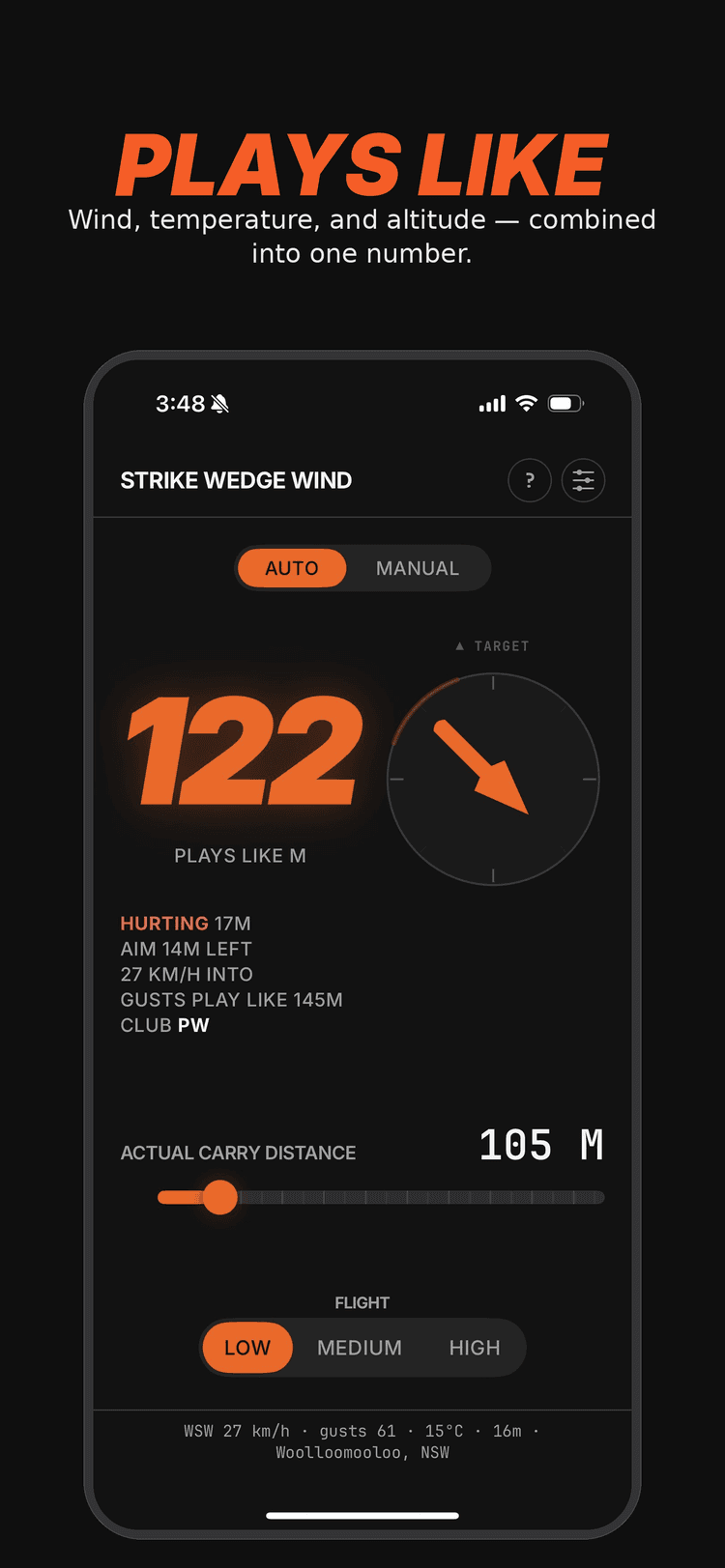
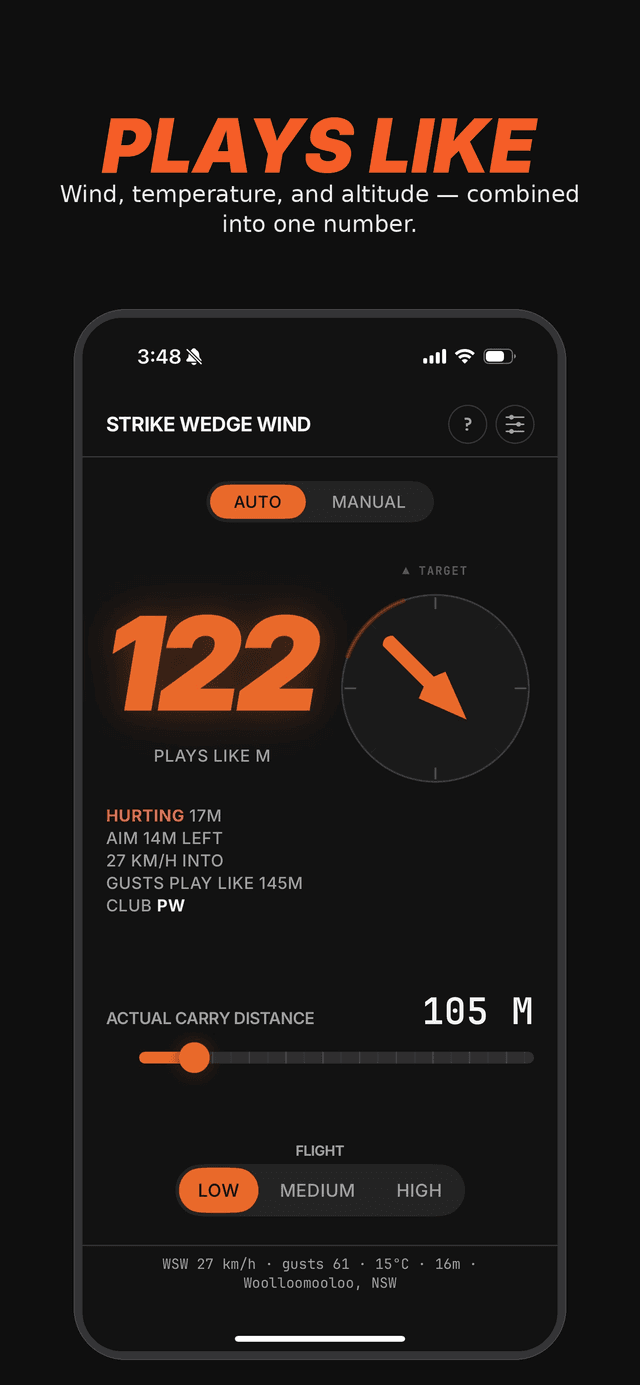
One number. Every condition.
Wind speed, gust strength, temperature, and altitude - all factored automatically. The plays-like number is what the shot actually plays like, not just what your rangefinder says.
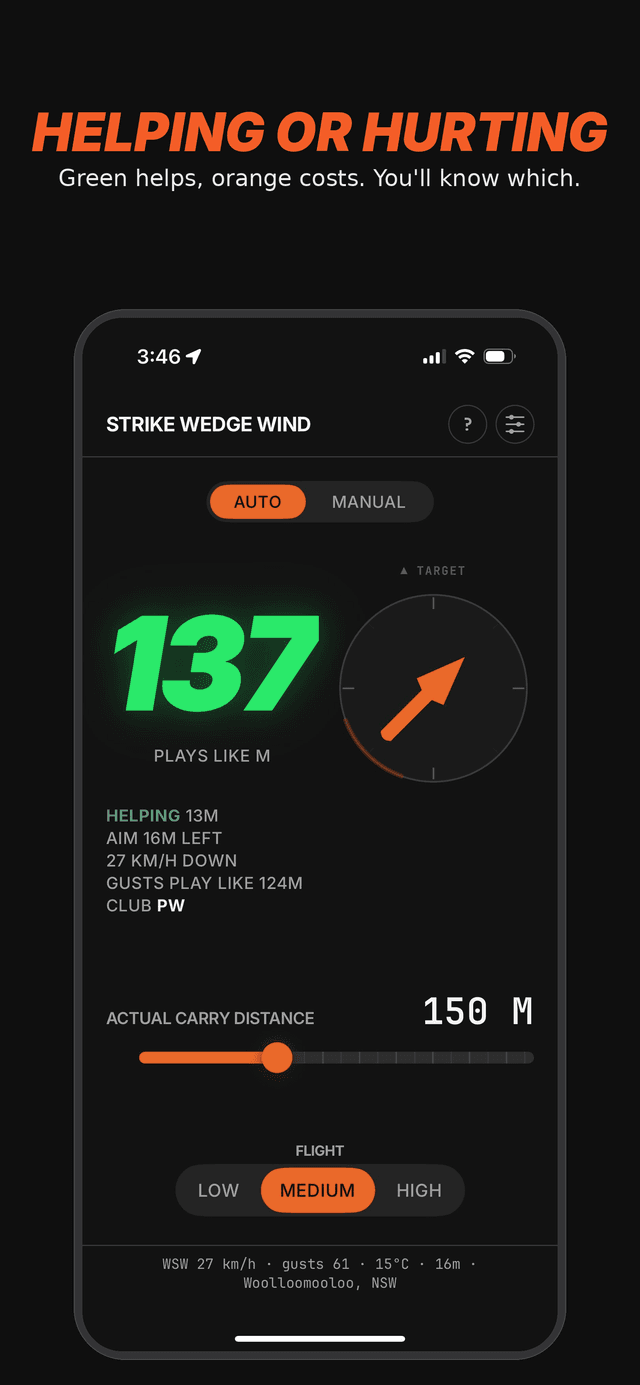
Helping or hurting
You'll know which.
Orange means the conditions are costing you distance. Green means they're adding to it. The aim adjustment for crosswind comes built in too.
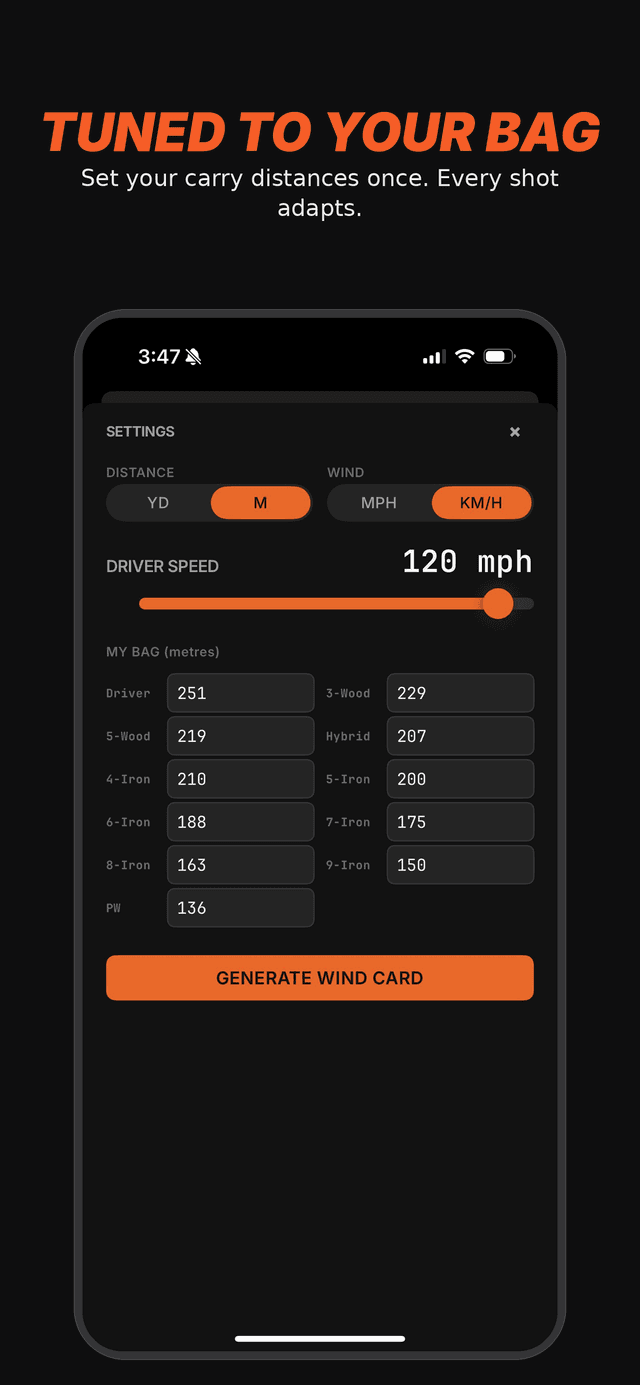
Your bag
Built around your numbers.
Set your driver speed and carry distance for each club once. Every plays-like number, every club suggestion, every wind card is calculated relative to your bag - not someone else's averages.
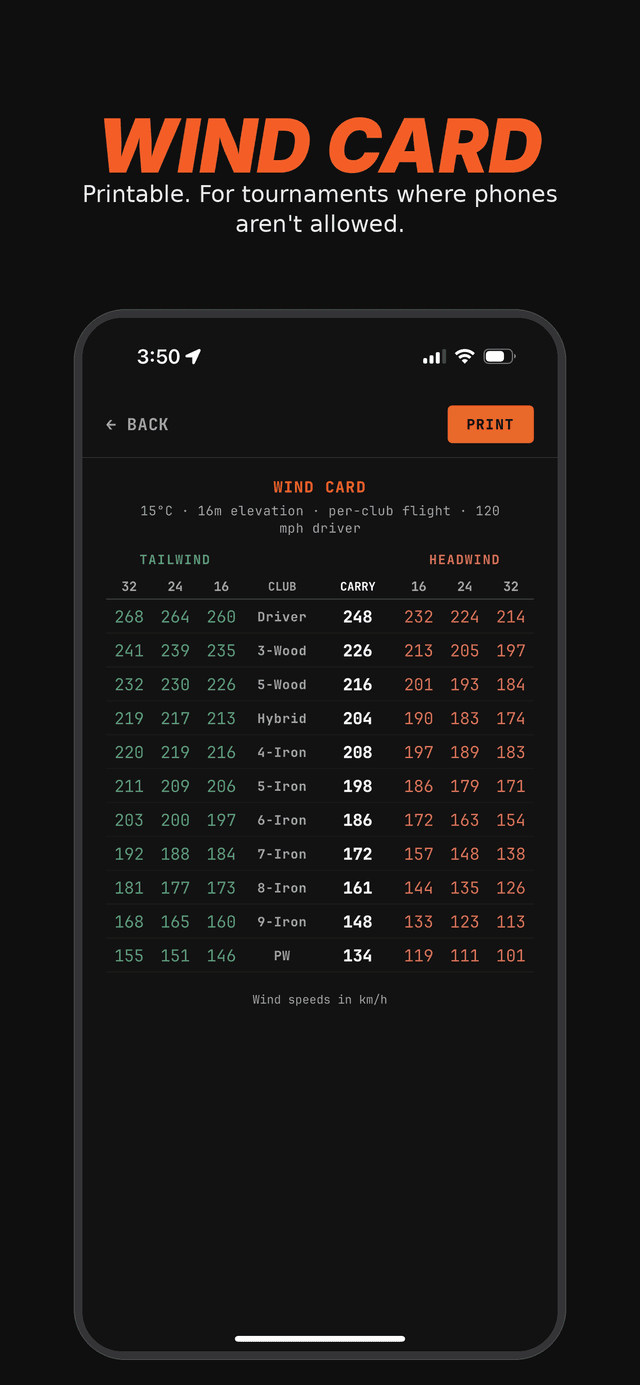
Wind card
For when phones aren't allowed.
Generate a printable wind card showing every club at four wind speeds in both directions. Slip it in your yardage book before tournament rounds.
Swipe →
Plays like
One number. Every condition.
Wind speed, gust strength, temperature, and altitude - all factored automatically. The plays-like number is what the shot actually plays like, not just what your rangefinder says.
Helping or hurting
You'll know which.
Orange means the conditions are costing you distance. Green means they're adding to it. The aim adjustment for crosswind comes built in too.
Your bag
Built around your numbers.
Set your driver speed and carry distance for each club once. Every plays-like number, every club suggestion, every wind card is calculated relative to your bag - not someone else's averages.
Wind card
For when phones aren't allowed.
Generate a printable wind card showing every club at four wind speeds in both directions. Slip it in your yardage book before tournament rounds.
How it works
Three steps.
That's the whole app.
Set your bag once
Enter your driver speed and the carry distance for each club. Every calculation is tuned to your numbers, not someone else's.
Point at your target
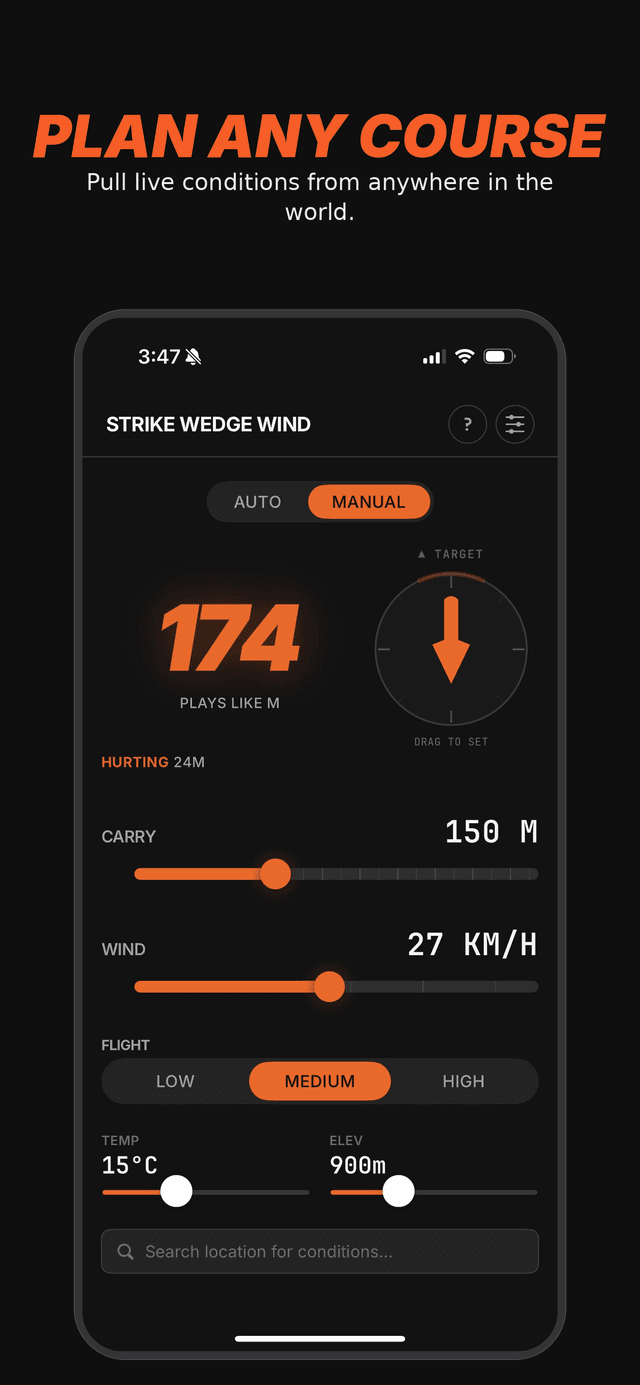
Open auto mode. The compass figures out the wind direction relative to your shot. Live wind, temperature, and altitude pull from your location.
Read the plays-like
Slide to your shot distance. The plays-like number tells you what to club for. The suggested club is a starting point - trust your eyes and feel.
The only number
that matters.
Free to download. Try it on the range, take it to your home course, let it tune itself to your numbers.
Download on theApp Store